半隐
Thursday, February 20, 2020 | 2分钟
利用企业微信机器人发送GitLab消息
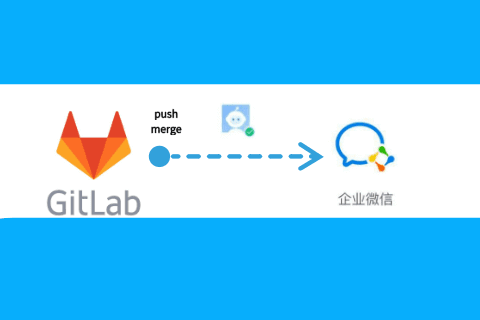
软件开发团队经常会遇到关于GitLab消息的问题,很多都是邮件通知,但是目前的通信协同工具显然都已经转移到了微信,钉钉,飞书等及时沟通软件,因此本文记录一下使用PHP实现微信机器人发送GitLab的消息的过程。
首先我们要拥有一台服务器,然后在服务器上面搭建起能够运行PHP的环境,这里我使用的是搭建WordPress的平台,Apache+MySQL+PHP。
然后我们建立PHP运行环境的根目录下建立一个目录,比如test,在test目录下创建一个index.php文件,如下:
<?php
header(‘Content-Type:text/html;charset=utf-8’);
$url = ‘https://qyapi.weixin.qq.com/cgi-bin/webhook/send?key=机器人的key’;
$cont = “今天是星期五,你交周报了吗?”;
text($url,$cont,array("@all")); //测试发送机器人消息
githook(); //执行gitlab的hook程序
die(‘process abort’); //杀死
function githook()
{
echo(‘start:’);
$key = $_GET[‘key’]; //获取输入参数key
$urlPro = $_GET[‘pro’]; //获取输入参数项目名称
$post_data = file_get_contents(“php://input”); //获取gitlab的json消息
$post_data_std_class = json_decode($post_data);
$curl = curl_init();
if ($post_data_std_class->object_kind == “merge_request”) {
if ($post_data_std_class->object_attributes->target_branch != “master”) {
return;
}
}
else if ($post_data_std_class->object_kind == “push”) //Push的消息应该同步到微信
{
$user_name = $post_data_std_class->user_name;
$res_name = $post_data_std_class->project->name;
$res_web = $post_data_std_class->project->web_url;
$branch = $post_data_std_class->project->default_branch;
$message = $post_data_std_class->commits[0]->message;
if($urlPro == $res_name){ //项目对的上才发送消息到微信
gitout_md($key,‘code push message’,array(""),$user_name,$res_name,$res_web,$branch,$message);
}
}
}
//文本调试用
function debugout($info,$robot)
{
$url = ‘https://qyapi.weixin.qq.com/cgi-bin/webhook/send?key='.$robot;
$cont = $info;
text($url,$cont,array(""));
}
//发送文本
function text($url,$cont,$list){
$data = array(
“msgtype”=>“text”,
“text”=>array(
“content”=>$cont,
“mentioned_list”=>$list
)
);
$res = request_post($url, json_encode($data,‘320’),‘json’);
print_r($res);
}
//发送markdown
//robot=机器人key
//cont = 消息主题
//list = @成员列表
//提交人
//提交项目
//提交地址
//提交内容
function gitout_md($robot,$info,$list,$name,$project,$web,$branch,$message){
$url = ‘https://qyapi.weixin.qq.com/cgi-bin/webhook/send?key='.$robot;
$content = $info;
$content .= " \n>Name : ".$name."";
$content .= " \n>Prj : [".$project."](".$web.")";
$content .= “:<font color="warning">”.$branch."</font>";
$content .= " \n>Msg : <font color="info">".$message."</font>";
$data = array(
“msgtype”=>“markdown”,
“markdown”=>array(
“content”=>$content,
“mentioned_list”=>array("")
)
);
$res = request_post($url, json_encode($data,‘320’),‘json’);
print_r($res);
}
/**
- 模拟get进行url请求
- @param string $url
- @return json
*/
function httpGet($url) {
$curl = curl_init();
curl_setopt($curl, CURLOPT_RETURNTRANSFER, true);
curl_setopt($curl, CURLOPT_TIMEOUT, 500);
curl_setopt($curl, CURLOPT_SSL_VERIFYPEER, false);
curl_setopt($curl, CURLOPT_SSL_VERIFYHOST, false);
curl_setopt($curl, CURLOPT_URL, $url);
$res = curl_exec($curl);
curl_close($curl);
return $res;
}
/**
- 模拟post进行url请求
- @param string $url
- @param array $post_data
- @param string $dataType
- @return bool|mixed
*/
function request_post($url = ‘’, $post_data = array(),$dataType=’’) {
if (empty($url) || empty($post_data)) {
return false;
}
$curlPost = $post_data;
$ch = curl_init($url);
curl_setopt($ch, CURLOPT_HEADER, 0);
curl_setopt($ch, CURLOPT_RETURNTRANSFER, 1);
if($dataType==‘json’){
curl_setopt($ch, CURLOPT_HTTPHEADER, array(
‘Content-Type: application/x-www-form-urlencoded;charset=UTF-8’,
‘Content-Length: ’ . strlen($curlPost)
)
);
}
curl_setopt($ch, CURLOPT_POST, 1);
curl_setopt($ch, CURLOPT_POSTFIELDS, $curlPost);
curl_setopt($ch, CURLOPT_SSL_VERIFYPEER, FALSE);
curl_setopt($ch, CURLOPT_SSL_VERIFYHOST, FALSE);
$data = curl_exec($ch);
return $data;
}
?>
之后我们就可以通过访问Http://loalhost/test/index.php来执行这个php代码,但是我们需要带入两个参数。因此我们转到GitLab中进行设置。
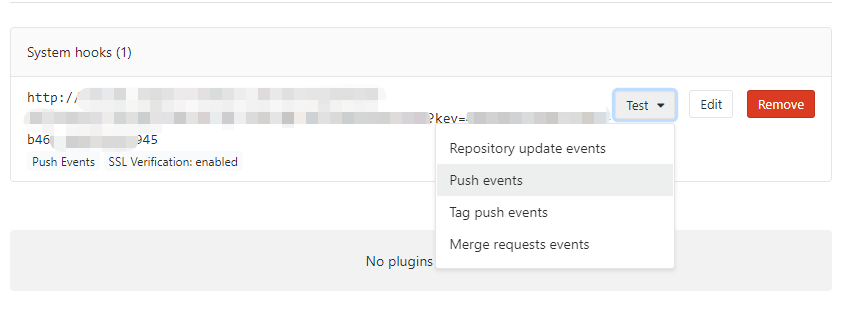
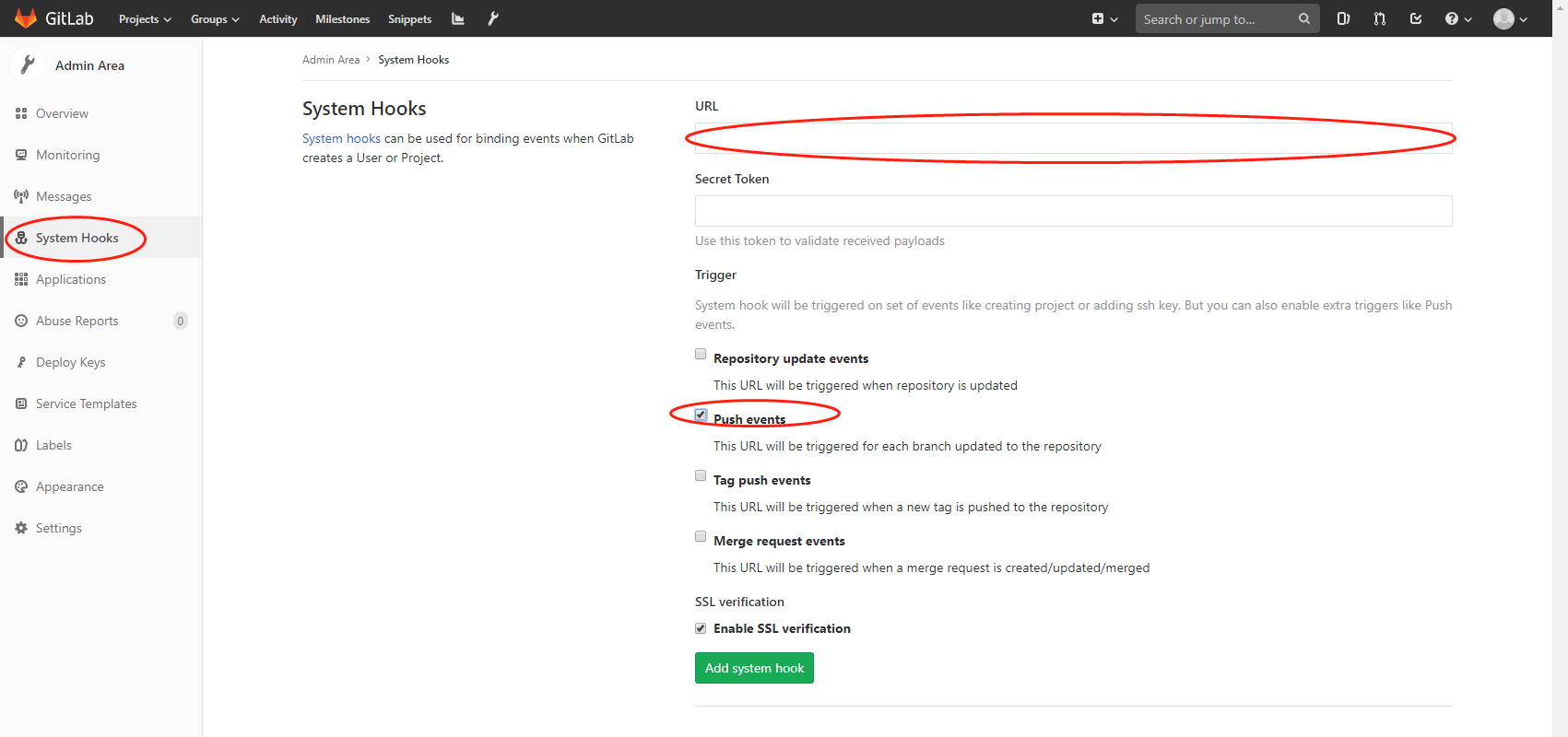
在GitLab的System hooks中设置URL,格式为Http://localhost/test/index.php?key=机器人key&pro=仓库名称。之后选择需要提醒的event即可,同时也可以在下面直接测试。
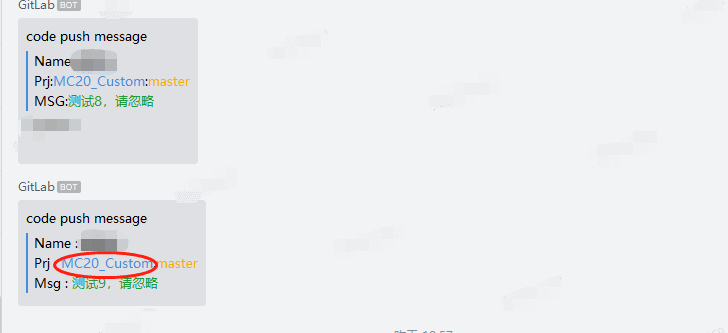
我们看一下提示效果:点击标注处的项目名称还可以直接连接到项目网页。